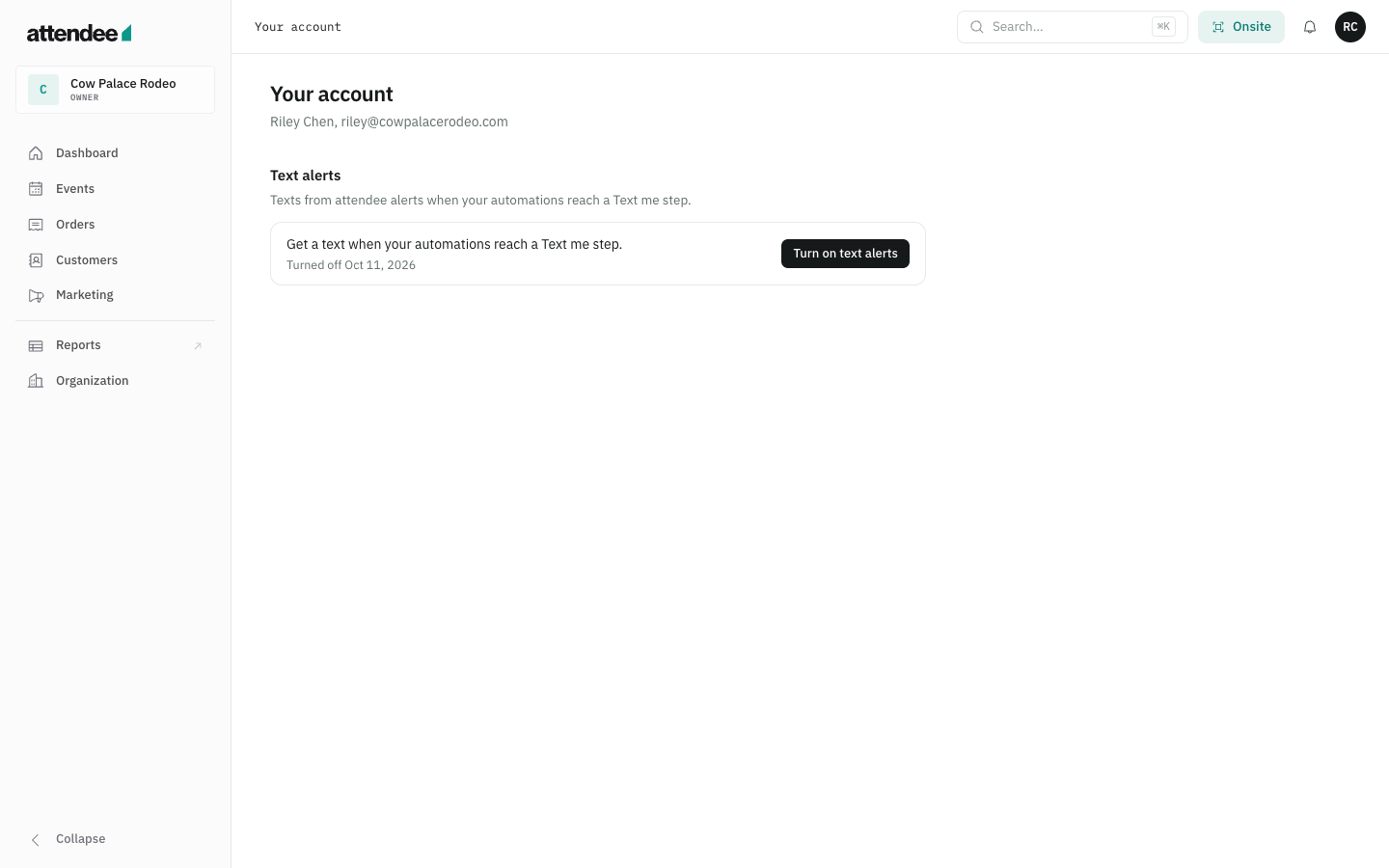
Enrollment is inside the password-protected attendee app at app.attendee.events. After signing in, users open Your account > Text alerts > Turn on text alerts. The same enrollment dialog is available from a Text me automation step. This public page documents the flow for review without access to an organizer account. Screenshots use example account and event information.
attendee alerts SMS terms · Privacy policy · Help with text alerts
Consent shown before requesting a code
I agree to receive automated operational text alerts from attendee alerts at this number about automations I set up. Message frequency varies. Msg & data rates may apply. Reply HELP for help or STOP to opt out. Consent is not required to use attendee. SMS terms and Privacy policy.
Alerts go to the enrolled organizer user's own verified number when their automations reach a Text me step. Frequency depends on those automations. Users can reply STOP or turn off texts in Your account. The screenshots document enrollment and account controls; they do not enroll visitors to this page.
1. Text alerts are optional
Users start enrollment from Your account or a Text me automation step.
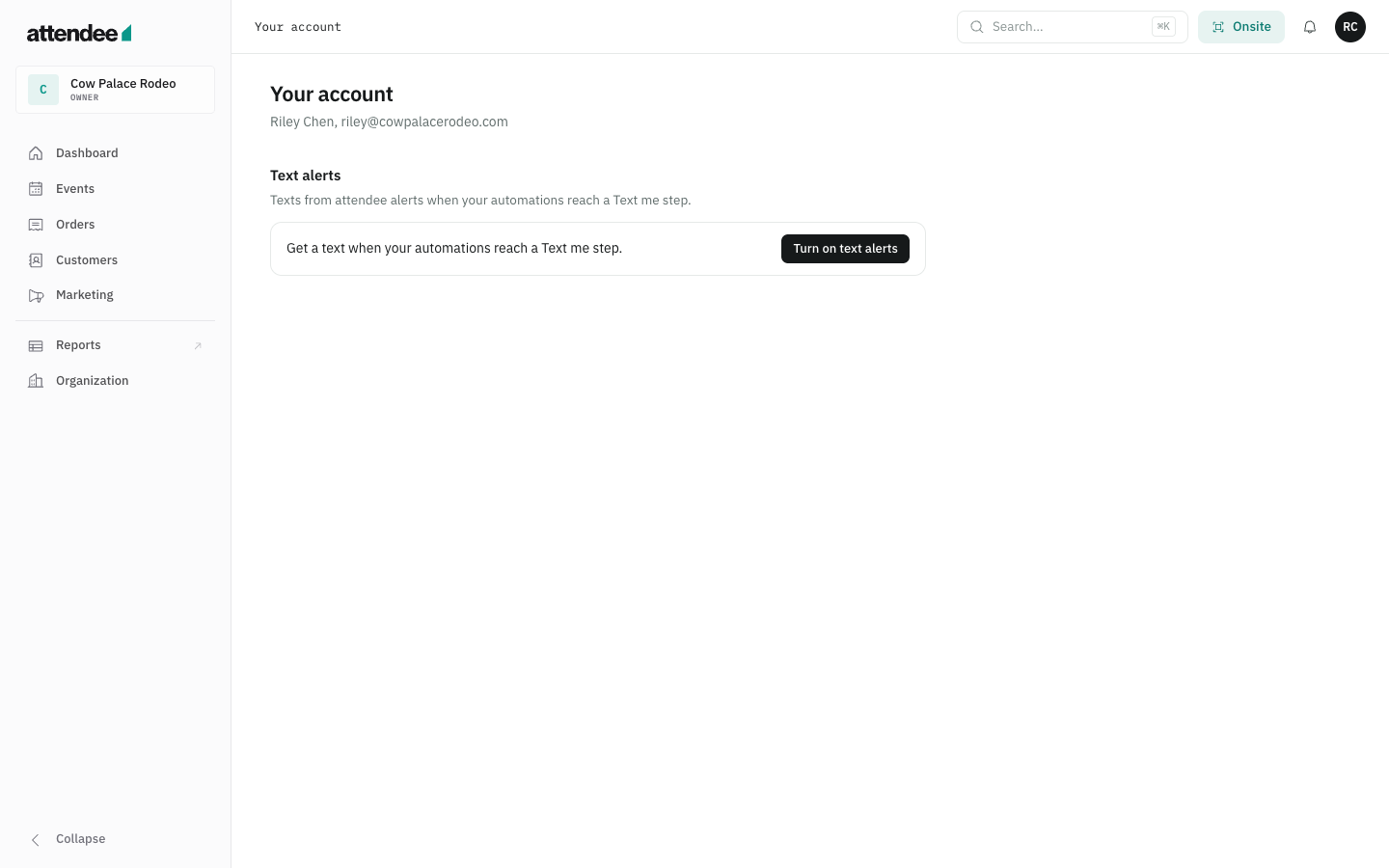
2. Consent starts unchecked
The user enters a US mobile number. Text me a code is disabled until the user selects the consent checkbox.
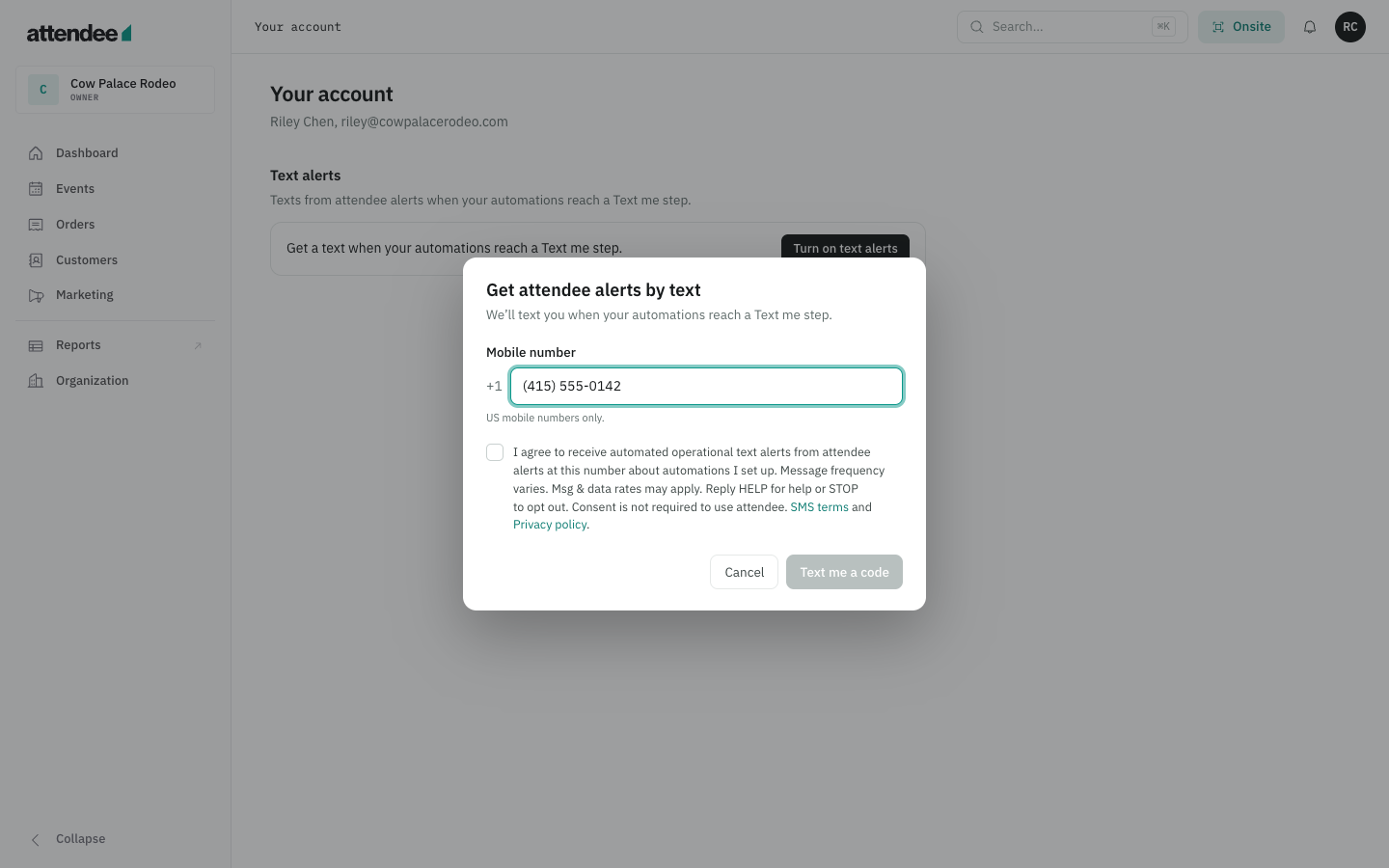
3. The user expressly agrees
The disclosure identifies attendee alerts, explains operational messages, frequency and rates, provides HELP and STOP instructions, and links to SMS terms and the privacy policy.
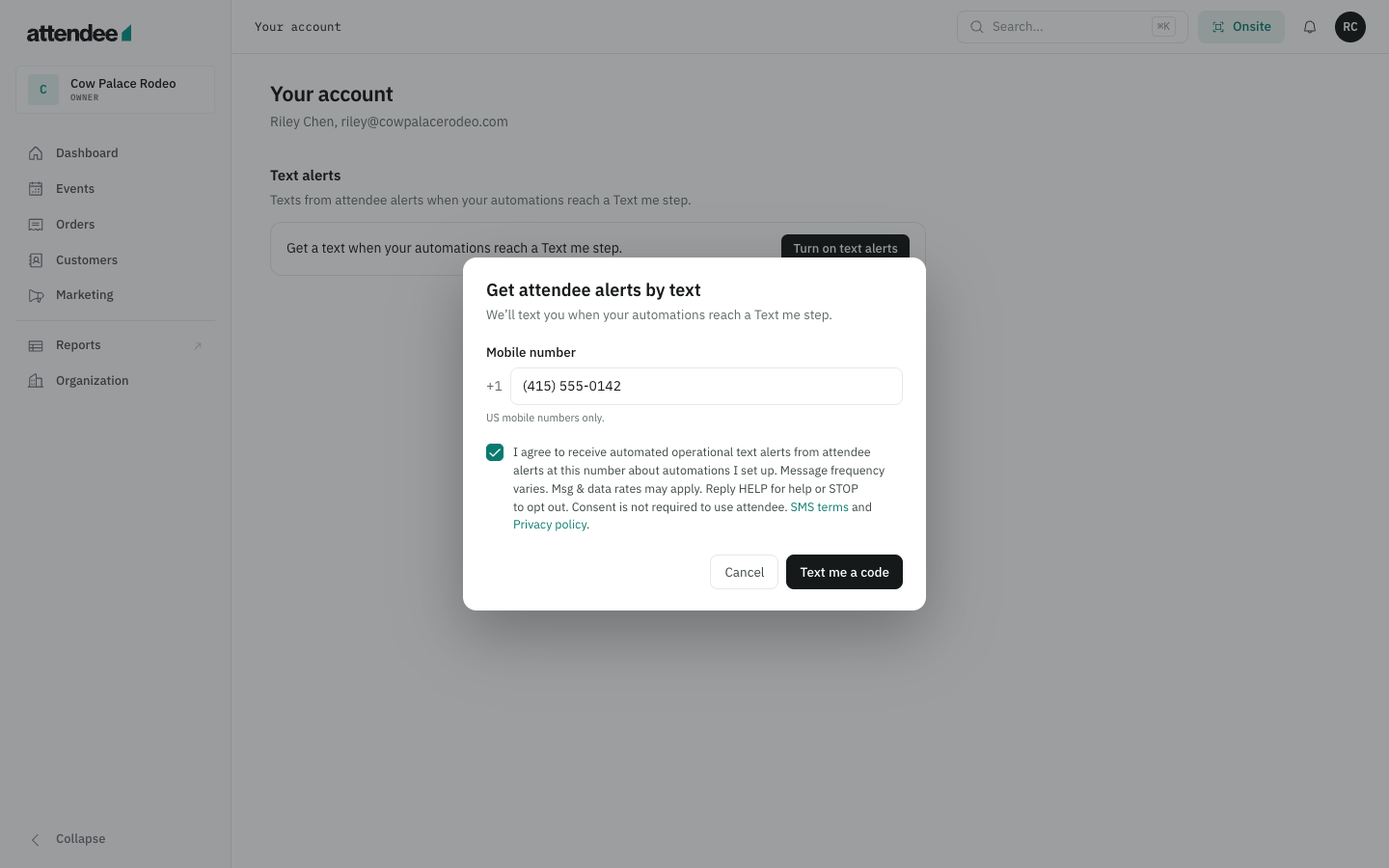
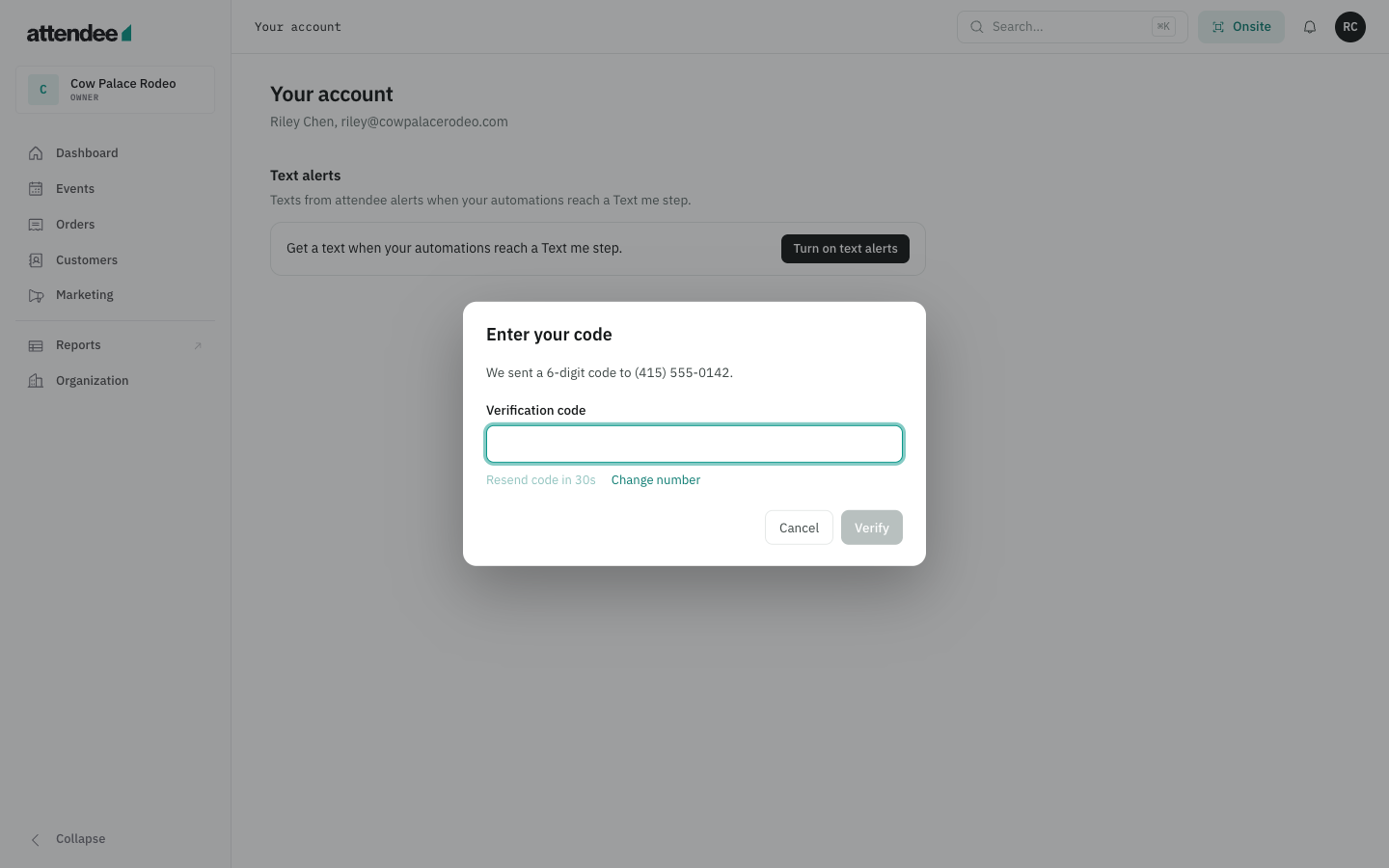
4. The user verifies their number
The user enters the six-digit code sent to the number they provided.
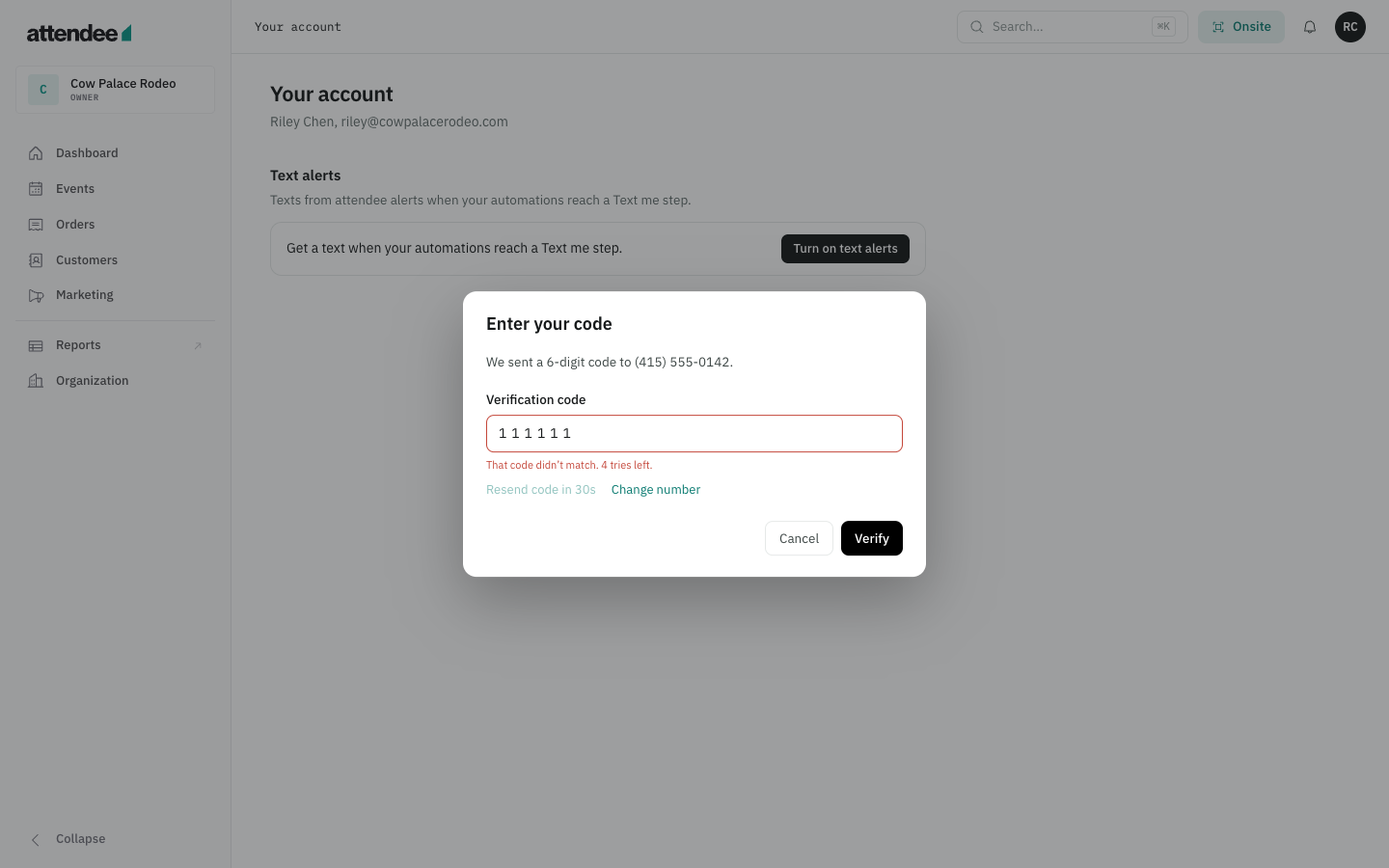
5. An incorrect code does not verify the number
A failed attempt shows an error and the remaining tries.
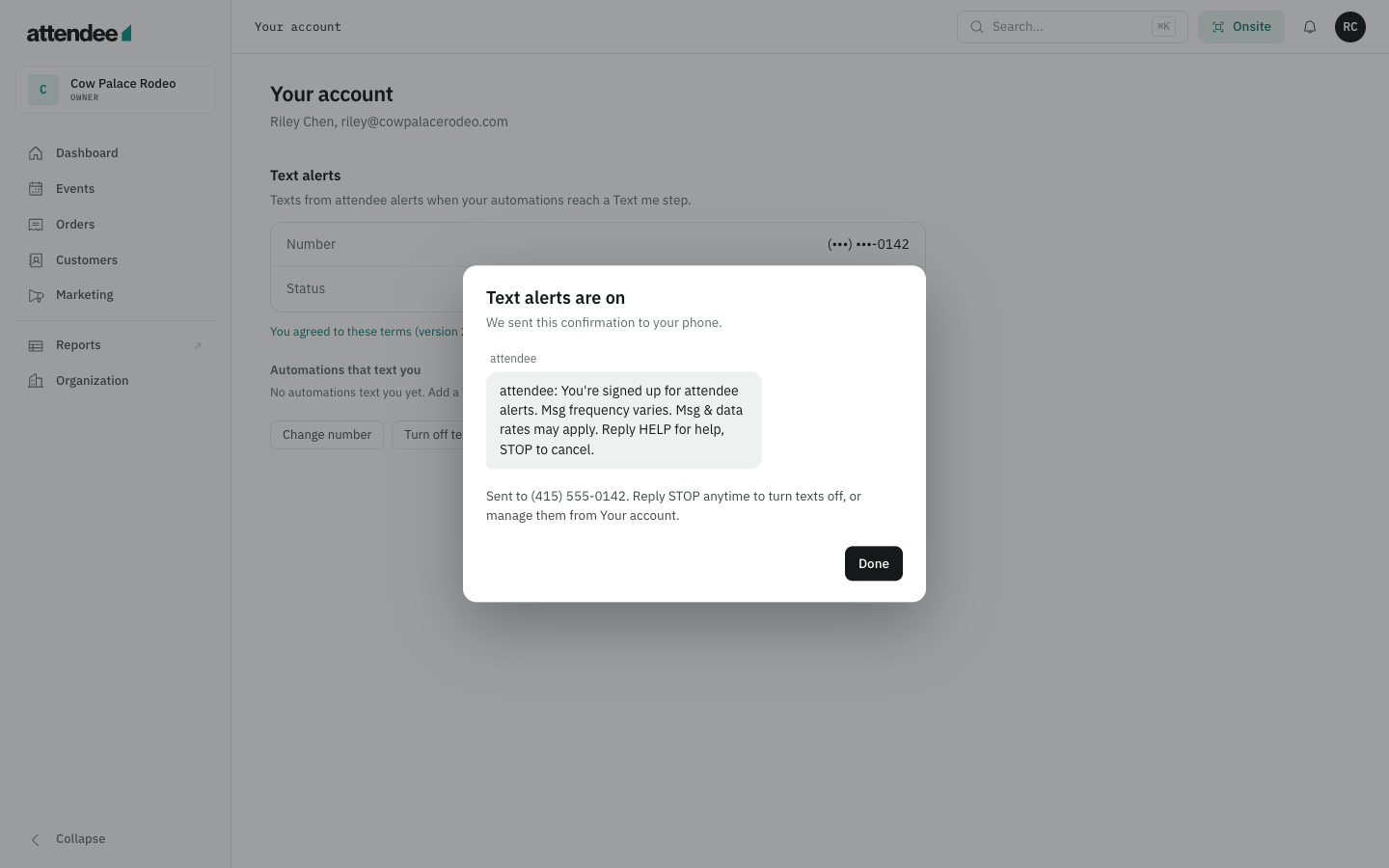
6. Enrollment confirmation
After successful verification, the user sees the confirmation text, including HELP, STOP, frequency and rate disclosures.
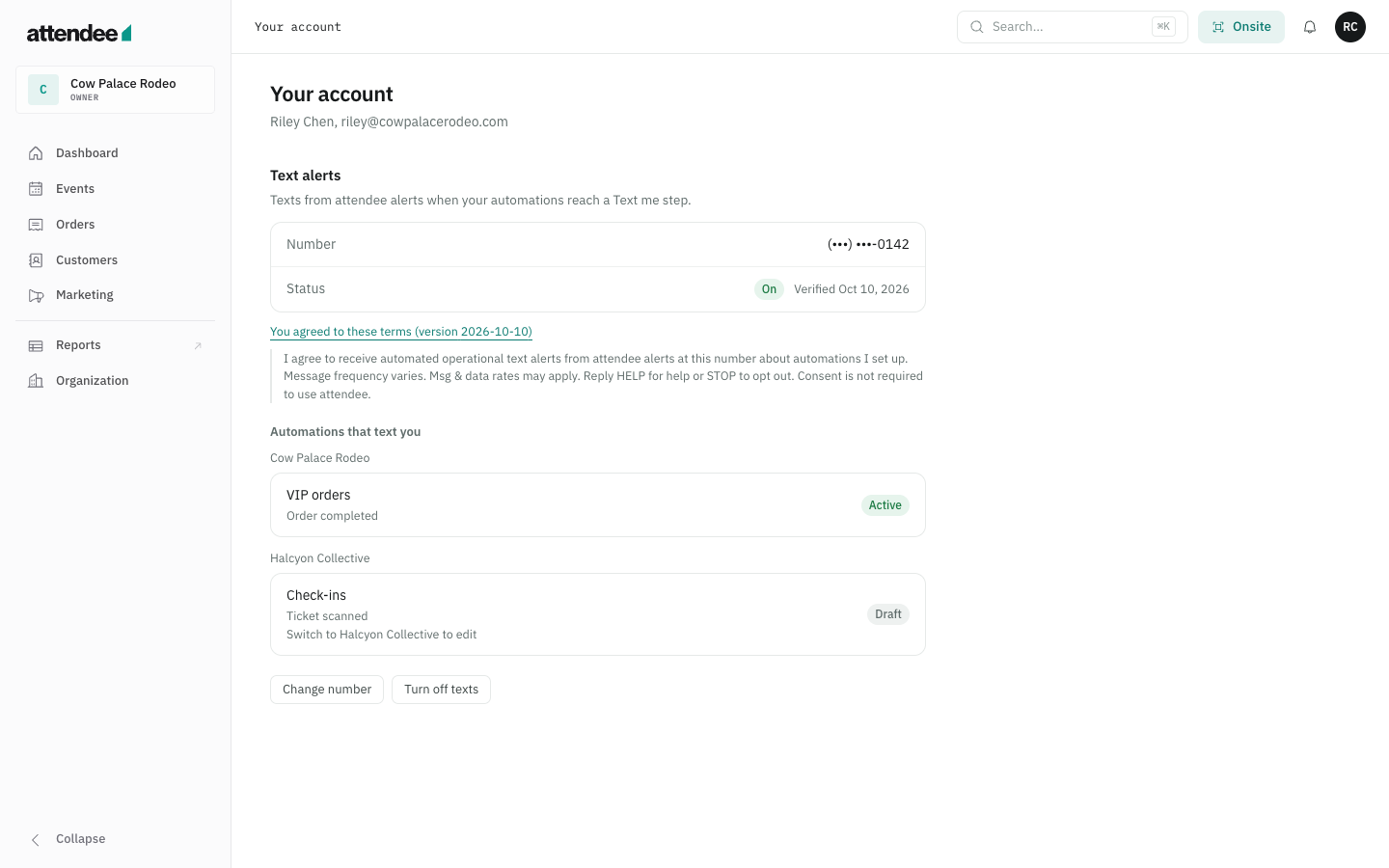
7. Account controls and consent record
Your account shows the verified number, consent text and version, and automations that text the user. The user can change their number or turn off texts.
8. Operational alerts from configured automations
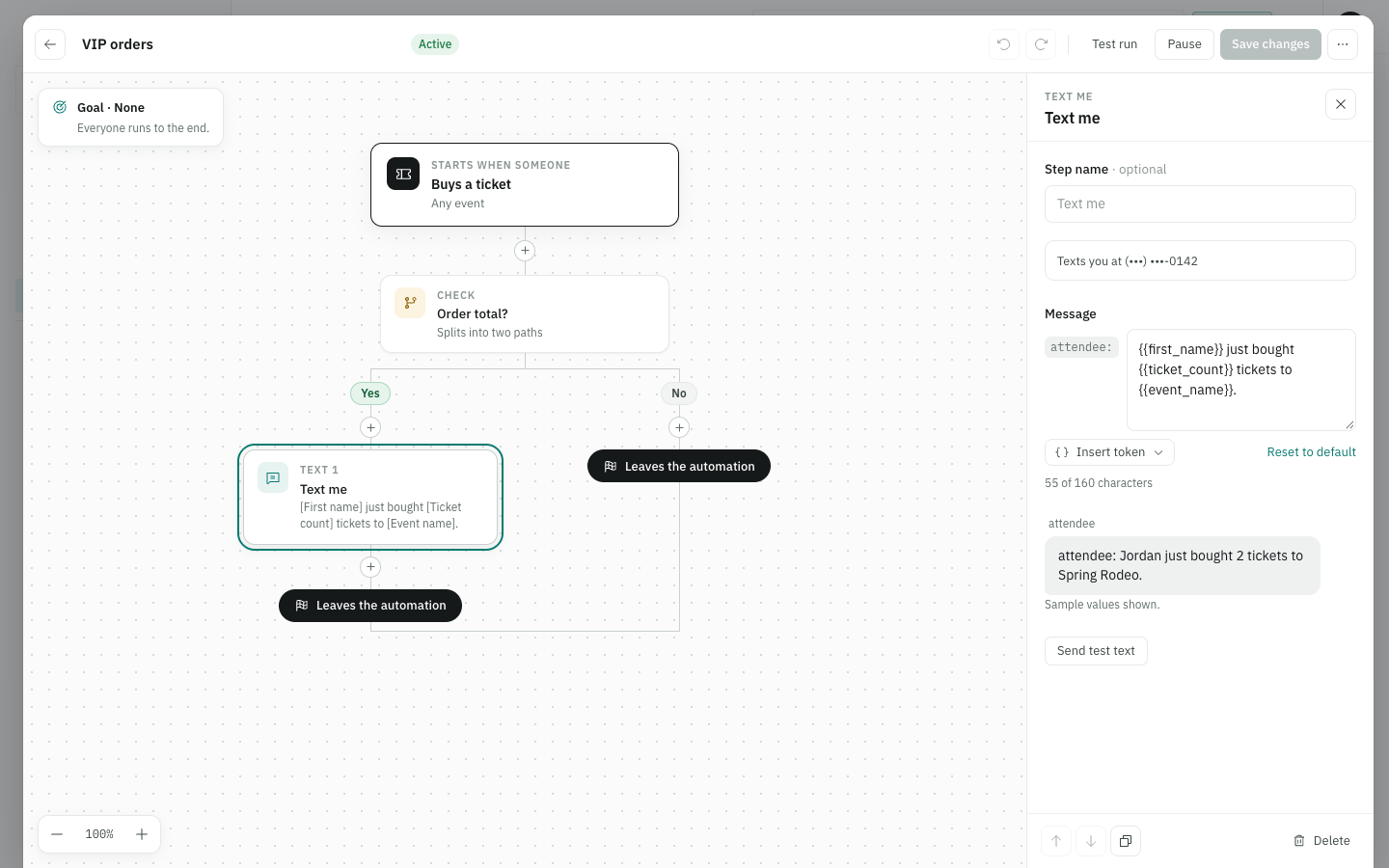
A Text me step sends to the organizer user's verified number. This screenshot shows the message editor and a sample preview.
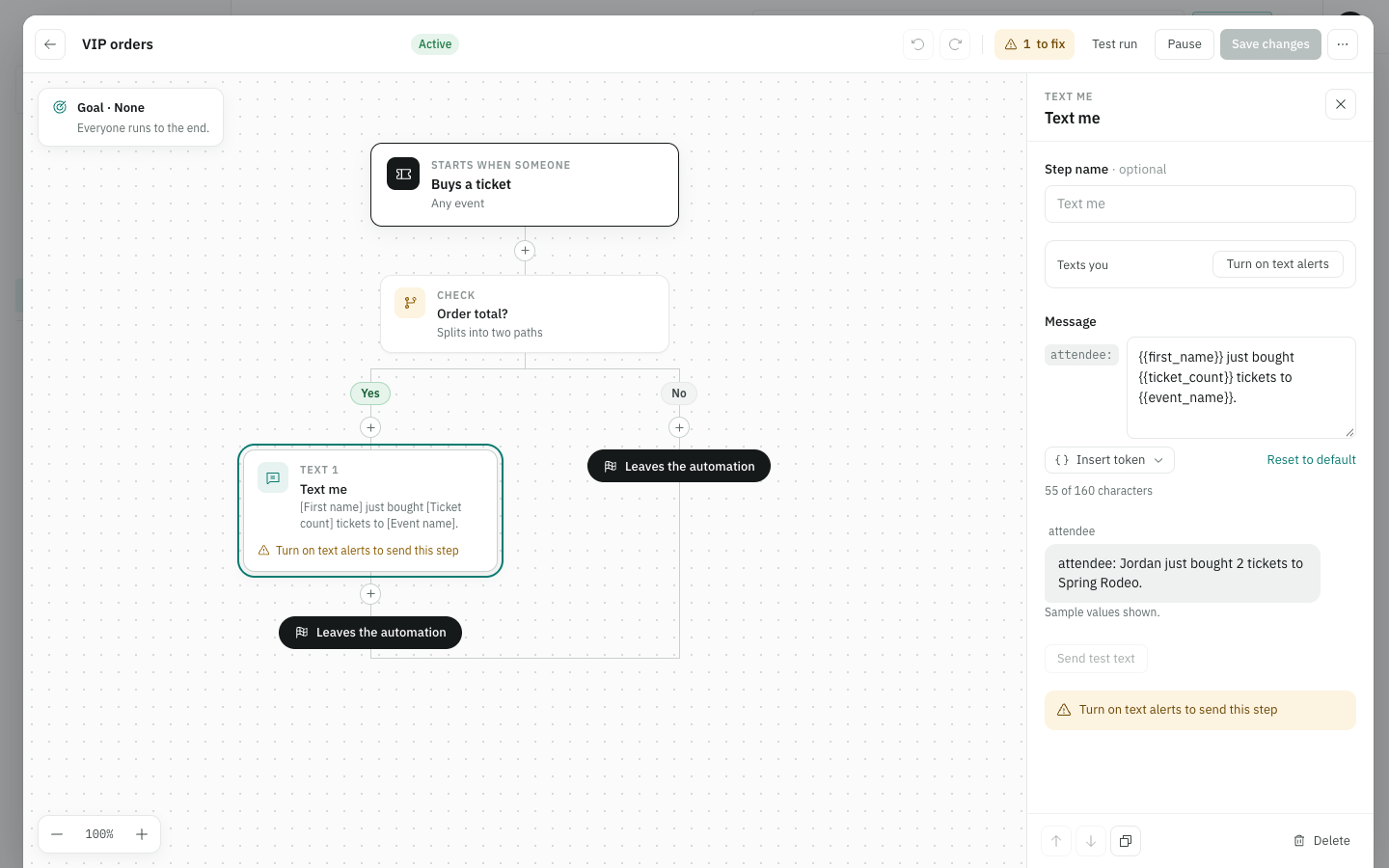
9. Enrollment is required before alerts can send
The builder prompts users to turn on text alerts before sending the step.
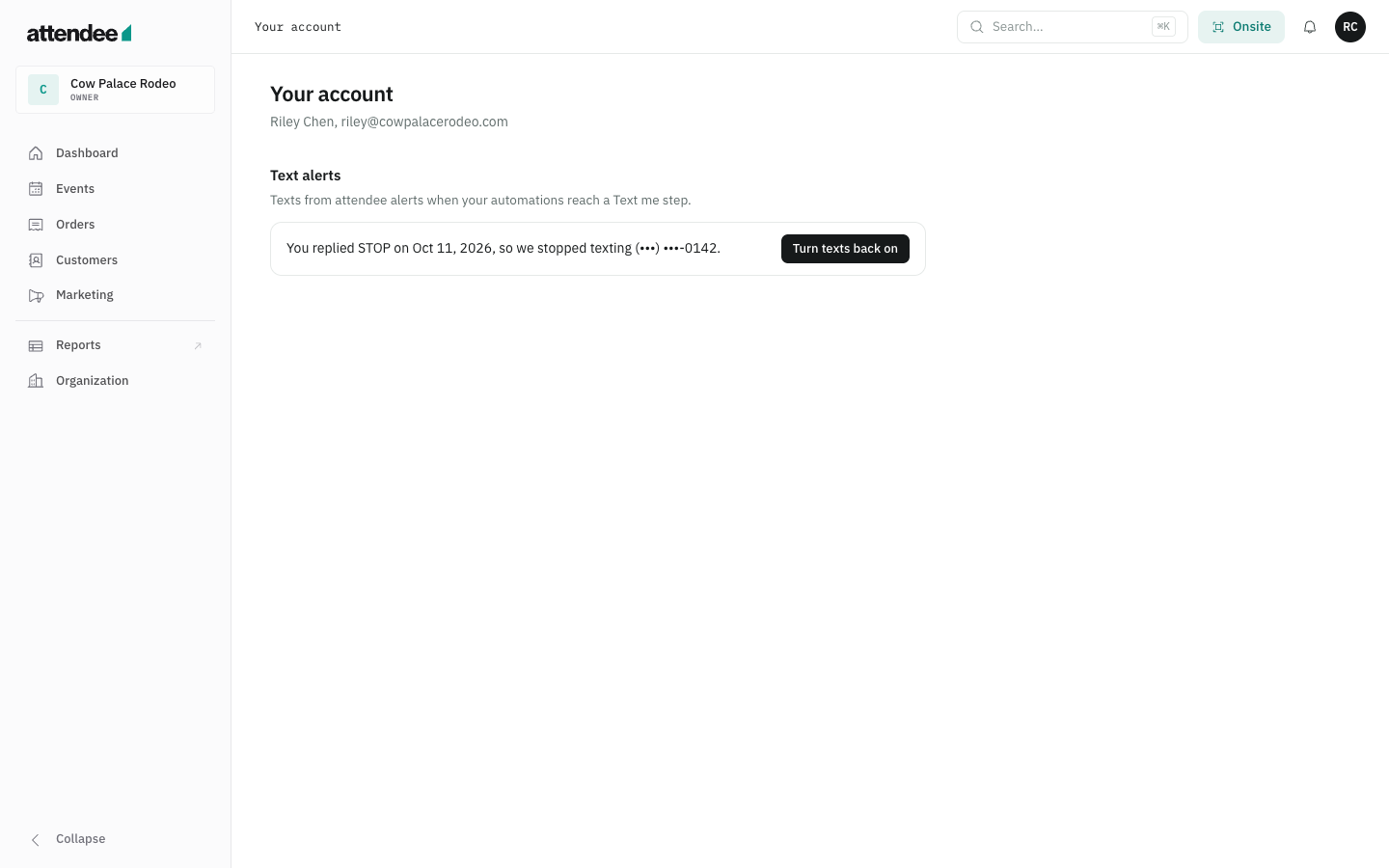
10. STOP opt-out
Your account reflects that texting stopped after a STOP reply.
11. Account opt-out
Users can also turn off texts from Your account.