Skip to content
Features / Audience and marketing

Turn a great night
into “see you
next time.”

Know your guests. Send emails that matter to them. Build the follow-ups that bring people back, while you work on the next event.

Set the timing.
Make it yours.

Cart recoveryPublished

Checkout abandoned

A guest leaves tickets in their cart

Give them a little time

Wait 30 minutes

Your tickets are waiting

Email a link back to checkout

Stop when the guest buys
Automated cart recovery · Illustrative product view

Customer insights and segments

Know the people
who show up.

See customer details, order history, and lifetime spend together. Build audiences around how people buy, then save the segment for your next campaign.

  • Find repeat buyers and high-spend guests
  • Reconnect with customers who haven’t booked lately
  • Keep saved segments current as new orders arrive
  • Send marketing to people who opted in
Customers / All customers

Your audience

Every guest. A little better understood.

Export ↗

All purchasers

1,248

Repeat purchasers

386

VIP

84

CustomerLifetime spend
MC

Maya Chen

maya@example.com

$540.00

6 orders

JL

Jordan Lee

jordan@example.com

$320.00

4 orders

DP

Devin Park

devin@example.com

$255.00

3 orders

Your regulars, ready to reach.

Saved segment · Repeat purchasers

2 or more paid orders386 people
Customers and saved segments · Illustrative product view

Visual email automation

A thoughtful follow-up.
Already handled.

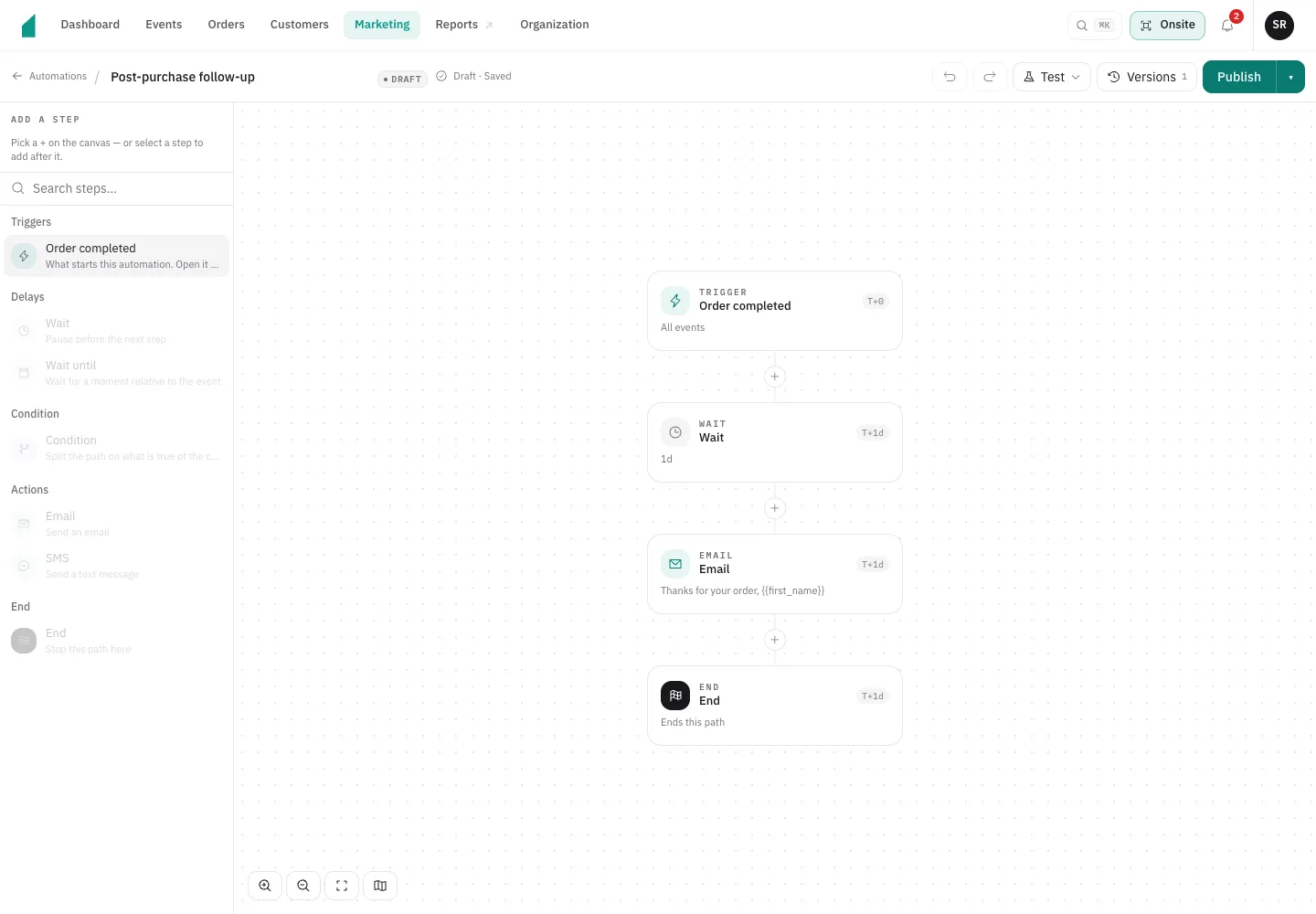
Start with a completed order or an abandoned checkout. Add a wait, check a condition, and send an email. The workflow builder makes the sequence visible before you publish.

Choose a template or build your own. Write a post-purchase note, give unfinished checkouts a reminder, and pause or change the automation as your plans evolve.

The screenshot shows a post-purchase workflow: an order completes, a day passes, and a follow-up email goes out.

Post-purchase follow-up

Workflow editor
attendee’s workflow builder showing an Order completed trigger, a one-day wait, a follow-up email, and an end step.
Inside the automation builder · Product screenshot

Get the word out.
See what brings people in.

Scheduled email · Illustrative product view

The right crowd. The right moment.

Send an announcement now or schedule it for later. Pick a saved audience and reach customers who consented to marketing, with your message and your timing.

Tracking links · Illustrative product view

Know which promotion sells.

Give your newsletter, Instagram bio, and posters their own tracking links. Connect clicks to completed orders and ticket revenue so the next promotion starts with better information.

Give your audience a reason to come back.

Customer insights, email automation, and ticket sales in the same place.

Request access